
EZStream is pitched as a compact way to bring more viewing choices to a television with an HDMI input. Its offer page presents one appealing idea: keep the TV you already own, connect a small streaming accessory, and browse entertainment from one screen. That sounds convenient for a spare room, an older TV, or a household tired of jumping between menus. The important buying question is what the device actually makes available after setup. This research-based EZStream review separates the seller’s pitch from the details a shopper should confirm.
Quick verdict: EZStream may appeal if you want a small HDMI accessory and a simpler viewing setup. The offer material describes live TV, movies, sports, and many apps, but it does not give a checkable list of included channels, licensed content, or supported services. Treat the hardware purchase and access to particular programs as separate decisions. We have not handled or tested the device.
What is EZStream?
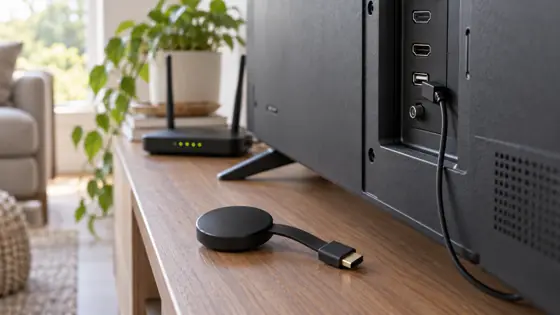
The EZStream offer presents a small television streaming device, pictured as a round receiver beside a TV interface. It says the product brings many streaming apps together and lets viewers switch among different types of entertainment. Its headline price in the offer screenshot is $28.99 for one unit. That figure is a snapshot of the seller’s promotion, not a promise about the amount due at checkout; shipping, selected quantity, and any added options should be checked on the final order page.
The concept is attractive because it starts with a familiar setup. You use the television rather than replace it, and the accessory is meant to sit out of the way. A household with one older screen could find that more practical than shopping for a new television. Yet the promotional screenshot alone does not establish whether EZStream runs apps itself, mirrors another device, or does both. Ask the seller which functions operate independently before deciding that it fits your routine.
What the offer emphasizes
The seller highlights access to streaming apps in one place, live television, films, sports, and switching between devices. It also says there are no user fees for EZStream. These are promotional claims, and the exact experience depends on the software, services, internet connection, and content rights behind the device. A one-time device price does not by itself pay for a third-party subscription. If your reason for buying is a particular movie service or sports channel, ask for a written list of the services available in your location and any required account or payment.
This distinction makes the offer easier to evaluate. The hardware could still be useful as an entry point to streaming even if it does not replace every existing subscription. A central screen for compatible viewing options has value for some homes. What would be misleading is to assume that the device grants unrestricted access to premium libraries merely because the advertisement uses broad phrases about entertainment. Confirm the titles or channels that matter to you before ordering.
EZStream buying checklist
| Question | What the offer shows | What to confirm |
|---|---|---|
| TV connection | An HDMI-style accessory | Your TV’s available HDMI input and power requirements |
| Apps and channels | Broad entertainment claims | Named, supported services in your region and their fees |
| Price | $28.99 headline in the offer screenshot | Selected quantity, shipping, tax, and final checkout total |
| Returns | A 60-day guarantee banner | Written return window, conditions, and shipping responsibility |
The table is deliberately practical. The offer’s image provides a starting point, while the missing details determine whether a given household would be satisfied. In particular, the marketing does not identify the precise model, software platform, storage, or a service-by-service subscription policy. It is better to get those answers before spending money than to try to infer them from a generic entertainment screen.

We may earn a commission if you buy through this link. Check the current seller terms before paying.
Who might find it useful?
Think of a secondary television in a bedroom, a guest room that sees occasional use, or a living-room screen whose built-in interface feels dated. In those settings, a small external accessory is an easy category of product to consider. EZStream’s pitch is especially straightforward for someone who wants to avoid replacing a functioning display just to change the way entertainment appears on it. If the seller confirms the apps you need, the accessory may be a reasonable candidate for a simple upgrade.
For a household that watches one particular league, local channel, or paid movie library, the decision is narrower. Ask whether that exact source is supported, whether it requires its own subscription, and whether regional restrictions apply. “Live sports” is too broad to guarantee a particular team or event. The same applies to movies and television: a device can display a service only when the underlying app and viewing rights permit it.

Setup and compatibility questions
Before ordering, look behind your television for a free HDMI input and think about where the device would receive power. Check that your home Wi-Fi reaches the screen reliably. The offer’s screenshot does not show a complete specification sheet or contents list, so do not assume that a remote, wall adapter, HDMI extension, or particular cable comes in the package. Ask the seller for the exact box contents, supported video output, and setup steps for your television model.
A strong wireless connection matters for any internet video device. If the TV is far from the router, test ordinary streaming on another device in the same room before blaming or crediting a new accessory. Also decide whether you need independent app installation or just screen sharing from a phone. These are different use cases, and the offer materials reviewed do not explain them well enough to choose on your behalf.
Price, guarantee, and final decision
The offer screenshot pairs a $28.99 price with a 60-day money-back banner. Both details deserve a final check. Promotional prices change, and the amount charged may differ when shipping or a multi-unit selection is added. The guarantee banner does not spell out the return conditions, whether used items qualify, who pays return postage, or when the clock starts. Save the seller’s current terms and obtain confirmation if the return window is important to your decision.
Our take is cautiously positive about the basic idea: a compact HDMI accessory can be an inexpensive way to explore a different TV interface, and EZStream’s pitch is easy to understand. The decision becomes sensible only when the merchant confirms the exact functions and content you expect. If those answers are clear and the checkout total fits your budget, review the live offer. If they remain vague, wait for specifics. A good streaming purchase begins with your actual viewing list, not a promise that every screen can show everything.
Frequently asked question: Does EZStream remove all streaming bills? The seller says the device has no user fee. That does not verify that individual content services waive their own charges. Confirm any named service directly. Will it work with my TV? The offer presents an HDMI accessory, so check your input, power, Wi-Fi, and required setup with the seller. Did we test it? No. This review uses the offer material and highlights unanswered questions rather than claiming hands-on performance.
We may earn a commission if you buy through this link. Verify the current price, contents, and return policy.